Precision Design: Project Management Pixel Perfect Icons
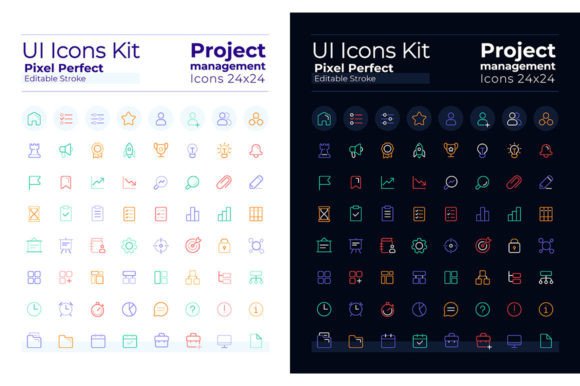
When building a professional business plan or a polished user interface, every visual element must communicate clarity and purpose. For designers seeking a cohesive and versatile asset, the Project Management Pixel Perfect Icons set offers a comprehensive solution that bridges the gap between functionality and aesthetic appeal. This collection is more than just a set of graphics; it is a design system built for modern, flexible workflows.
A Comprehensive Design Asset
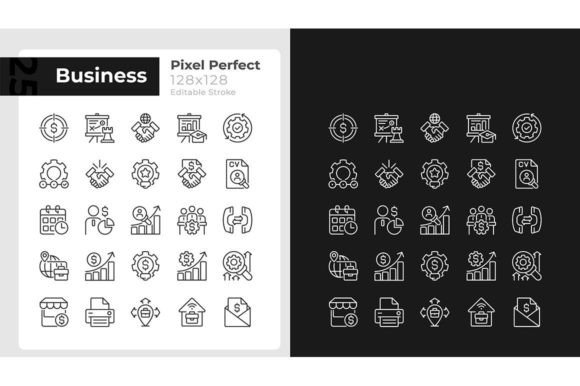
This collection provides exactly what you need for a seamless design process: 64 dark mode linear icons and 64 light mode linear icons. Each icon is meticulously crafted to ensure pixel-perfect alignment, which is essential for maintaining a crisp, professional look across all screen sizes and resolutions. The set is designed with a clean, linear style that suits contemporary UI trends, ensuring your project looks modern and trustworthy.
One of the standout features is the inclusion of editable stroke weights. This gives you granular control over the visual density of the icons, allowing you to match them perfectly to your typography and overall layout. Whether you need a delicate, lightweight icon for a minimalist design or a bolder stroke for better visibility, the flexibility is built right in.
Designed for Versatility and Brand Consistency
The true value of a premium icon set lies in its adaptability. This collection is ideal for a wide range of applications, ensuring your visual language remains consistent whether you are designing for print or digital.
Consider using these icons for:
- Brand Identity & Logo Design: Create supplementary graphic elements that reinforce your brand's visual system without relying on generic clipart.
- Editorial & Packaging Design: Use the icons to break up text, highlight key features on product packaging, or add visual interest to magazine layouts.
- Web & App Design: The dual-mode capability (dark and light) makes them perfect for responsive websites and mobile applications that require theme switching.
- Social Media & Poster Design: Quickly create engaging infographics or social media graphics that require clear, recognizable symbols for business concepts.
Seamless Integration with Typography
Visual consistency is key to professional design, and this set includes a fonts list to help you achieve it. The icons are designed to harmonize with the included Montserrat Bold and Light typefaces. Montserrat is a widely respected sans-serif font known for its geometric simplicity and excellent readability, making it a perfect match for the clean lines of the icons.
By pairing these pixel-perfect icons with a cohesive typeface, you ensure that your headings, body text, and graphical elements speak the same design language. This attention to detail elevates your work from a simple layout to a polished, professional presentation.
Practical File Formats for Every Workflow
To ensure these design assets fit seamlessly into your existing toolkit, they are provided in multiple industry-standard formats. You will receive files in EPS, SVG, PNG, JPEG, and AI. This variety means you can easily edit the vectors in Adobe Illustrator, use the scalable SVGs for web development, or drop the high-resolution PNGs and JPEGs directly into your mockups and presentations.
When selecting design assets for your projects, consider how they will scale and adapt. The vector formats (SVG, EPS, AI) ensure that your icons will remain sharp and clear, whether they are viewed on a small mobile screen or printed on a large-format poster. This scalability is crucial for maintaining a high-quality brand image across all touchpoints.
Ultimately, choosing a well-designed icon set like this one is an investment in efficiency and quality. It provides the visual tools you need to communicate complex ideas simply, ensuring your final product looks cohesive, modern, and ready for any platform. For those who value precision and design flexibility, this collection is a worthy addition to your creative library.